GigaArt: AI Photo Generator1.1.0
Publisher Description


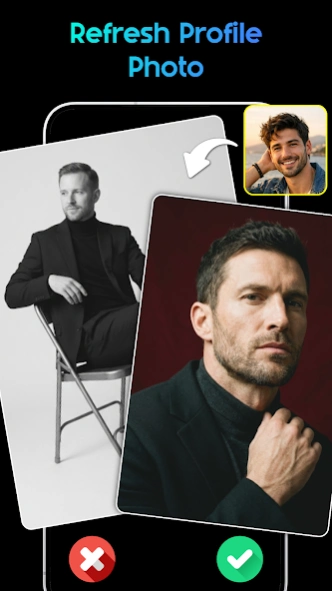

Easily create multiple AI photos and images from text or templates with GigaArt.
🦁 GigaArt: AI Photo Generator – Your Creative Partner
Looking to transform your ideas into stunning AI photos without the complexity?
GigaArt: AI Photo Generator is designed to streamline the creation of AI image. By utilizing a curated system of ready-made templates and pre-set prompts, GigaArt allows you to generate professional visuals simply by selecting the styles you love.
✨ From Selection to AI Images
With GigaArt, creating an AI photo is as simple as a single click. Our generator uses professional presets to interpret your vision, ensuring a high-quality result every time.
- Generate from Curated Prompts: Instead of typing from scratch, choose from our library of performing prompt presets to see instant results.
- Explore Diverse AI Styles: Easily switch between artistic movements and photographic looks by selecting different style categories.
- One-Tap Regeneration: Not satisfied with the first result? Simply hit regenerate to explore a new visual interpretation based on the same style.
🧩 Seamless Creation Workflow
GigaArt offers a structured approach to AI imagery, allowing you to achieve professional results through a simple, intuitive selection process.
- Template-Based Creation: Apply professional "Blueprints" to your photos. Just pick a template and let the AI do the rest.
- Pre-Defined Style Variations: Explore different lighting, tones, and moods through our organized style menus.
- Effortless Iteration: Quickly cycle through different versions of an image to find the perfect artistic direction without any manual tweaking.
💡 Integrated AI Guidance
GigaArt includes a smart AI assistant to help you navigate our vast library of styles and find the perfect match for your needs.
- Smart Style Suggestions: Receive recommendations on which categories or themes suit your desired mood.
- Creative Pathfinding: Let the AI assistant guide you through our unique collections and many template that you may interest in.
- Feature Navigation: Learn how to get the most out of the GigaArt app through simple, interactive guidance.
⚡Smart AI Chat
AI Chat helps you get instant answers, useful ideas, and everyday support in one place.
- Get quick answers anytime you need help
- Ask for ideas, writing, planning, and daily tasks
- Chat naturally and receive smart, helpful responses
✅ Select your style, tap to generate, and explore the world of AI imagery with GigaArt: AI Photo Generator.
⚠️ Disclaimer
- This app does not create or represent real people.
- All generated images are created by AI for artistic and entertainment purposes only.
- Uploaded photos are processed securely and never shared with third parties.
- The app may decline to generate images if the content appears sensitive or restricted.
About GigaArt: AI Photo Generator
The company that develops GigaArt: AI Photo Generator is LionMen. The latest version released by its developer is 1.1.0.
To install GigaArt: AI Photo Generator on your Android device, just click the green Continue To App button above to start the installation process. The app is listed on our website since 2026-09-23 and was downloaded 8 times. We have already checked if the download link is safe, however for your own protection we recommend that you scan the downloaded app with your antivirus. Your antivirus may detect the GigaArt: AI Photo Generator as malware as malware if the download link to com.giga.art.aigenerator.photoeditor is broken.
How to install GigaArt: AI Photo Generator on your Android device:
- Click on the Continue To App button on our website. This will redirect you to Google Play.
- Once the GigaArt: AI Photo Generator is shown in the Google Play listing of your Android device, you can start its download and installation. Tap on the Install button located below the search bar and to the right of the app icon.
- A pop-up window with the permissions required by GigaArt: AI Photo Generator will be shown. Click on Accept to continue the process.
- GigaArt: AI Photo Generator will be downloaded onto your device, displaying a progress. Once the download completes, the installation will start and you'll get a notification after the installation is finished.
